By GearDeep Editorial · Updated
Dive computer battery care begins with knowing how your exact model is powered and what its low-battery warnings mean. A rechargeable wrist computer, a device with a user-changeable cell and a model requiring authorized battery service need different routines. Check the manual, plan charging or service before travel, and inspect the computer as a complete instrument. A screen that turns on does not by itself establish that the device is ready for a dive.
Identify the battery arrangement
Record the full model name and generation. Similar product names can cover different hardware, charging equipment or battery procedures. Find the current manual and identify whether the battery is rechargeable, user-replaceable or service-replaceable. Do not assume a removable-looking cover is permission for the owner to open it.
If you have bought used equipment, confirm what accessories and records came with it. An unidentified charger or an undocumented battery change deserves investigation before use. Keep the model’s instructions available offline when traveling. A saved manual is more useful than a bookmark that may require an internet connection at the dive center.
Understand what the battery indicator represents
A battery symbol or percentage is an indication interpreted by the device, rather than a universal promise of remaining dive time. Read how the manufacturer describes low-battery warnings and any restrictions that follow. Some functions or operating conditions can affect consumption differently. Do not extrapolate from the behavior of an unrelated watch or previous computer.
Check the display well before the dive day, then again as part of the trained pre-dive routine. An unexpected change between checks is information to investigate. Repeatedly restarting a device to make a warning disappear does not resolve an uncertain power supply. If the indication or behavior does not make sense, use the manufacturer’s support route or an appropriate service center.
Use the specified charging accessories
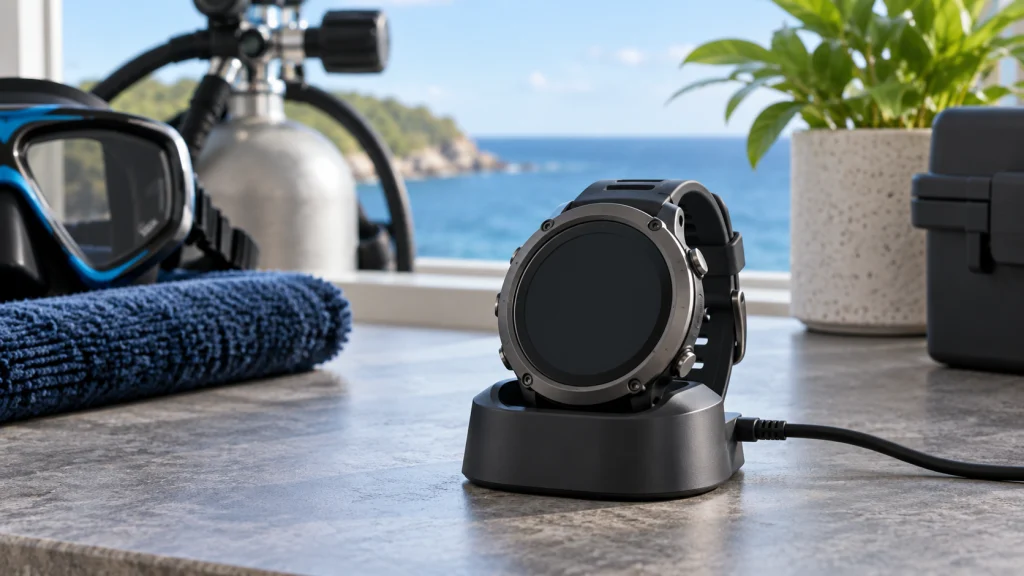
For rechargeable models, follow the instructions for the charging cradle, cable and power source. A connector that can be physically attached is not enough to establish compatibility. Keep contact surfaces in the condition the maker requires, and avoid charging a wet or contaminated device where the instructions require a dry connection.
Inspect the cable, connector and cradle for obvious damage. Position the computer securely so movement will not interrupt contact. Confirm that the intended charging indication appears rather than assuming power is flowing because a cable is connected. If charging is unreliable, identify the cause before travel; repeatedly repositioning a damaged lead at the dive site is a poor maintenance plan.
Do not turn headline battery life into a schedule
Manufacturer battery-life figures depend on stated conditions. Display brightness, enabled functions, temperature and usage pattern may differ from the example behind a published claim. Treat the figure as a specification with conditions, not a guarantee that your remaining charge will cover a particular itinerary.
Plan charging opportunities around your actual trip, including accommodation access and any boat-based days. Avoid relying on an unfamiliar shared charger at the last moment. Shearwater’s Peregrine support information directs owners to the model’s charging and storage instructions. That principle is more useful than applying one charging percentage or interval to every dive computer.
User-replaceable does not mean procedure-free
A model may allow an owner to change its battery while still requiring a specific cell, sealing arrangement, inspection and post-change checks. Follow the exact instructions and use the specified parts. Do not mix a compatible battery description with an improvised cover seal, or apply arbitrary lubricant to an O-ring.
If you lack the tools, clean workspace or confidence to follow the procedure, use qualified service. A successful power-on after replacement is not a substitute for all the maker’s required checks. Keep the date and relevant service details in your equipment record. Never open a different model simply because you have changed a battery successfully in another computer.
Plan authorized service early
Some rechargeable batteries require service rather than owner replacement. A battery that holds noticeably less charge, a damaged charging connection or unexplained shutdowns should be assessed through the manufacturer’s support process. Do not wait until the night before departure to discover that the work requires shipping the computer to a service center.
Ask what the service includes, which checks follow, and whether settings or recorded information may be affected. Save logs or other data using the supported method where appropriate. Service intervals can be model-specific and may change; use the current guidance instead of a generic rule quoted for every brand.
Clean without damaging the pressure sensor
Salt deposits and grit need attention, but cleaning must respect the instrument’s sensor and controls. Rinse and dry according to the manual. Do not use a jet washer, compressed air or sharp tools to probe sensor openings. A sensitive opening is not an ordinary hole that needs scraping clean.
Suunto’s post-dive checklist specifically warns against high-pressure water and compressed air. Other cleaning details can vary between models, including how to operate buttons during rinsing and whether a particular cleaning product is permitted. Follow the exact product instructions rather than combining several brands’ routines into a universal method.
Inspect the attachment as well as the electronics
A working computer still needs a secure mounting arrangement. Check the strap, buckle, bungee or other attachment for wear and compatibility. Try the fit over the exposure protection you will actually wear. A strap that fits a bare wrist in a shop may have inadequate adjustment for a thicker suit.
Look at the screen and housing for cracks, fogging or unusual changes. Make sure controls move and respond as described in the manual. These checks are not a diagnosis of internal condition, but they can identify a reason to stop and seek assessment. Replace worn attachment parts with components intended for the model and configuration.
Check settings after charging or service
Do not assume that all settings remained exactly as you remember them. Review the active mode, units, relevant gas settings and other parameters required by your training and the manual. Battery work, servicing, firmware changes or a previous user may affect what you find. Confirm the display you will use underwater, rather than checking only the watch screen.
If the computer has been reset or used by somebody else, understand the manufacturer’s requirements and its handling of dive history. Do not share a computer between divers during a series of dives as a substitute for each diver tracking their own exposure. Our display-reading guide explains the main information fields; the manual settles model-specific behavior.
Account for transmitters separately
An air-integrated system can have a battery in the wrist unit and another in the transmitter. Checking one does not check the other. Confirm compatibility, pairing and the warnings that apply to each component. A fully charged computer cannot correct an exhausted or unpaired pressure transmitter.
Make any installation or high-pressure connection changes with appropriate qualified help and the relevant instructions. Test the complete system as trained before use. Our analog SPG and air-integration comparison separates the pressure-monitoring function from the broader dive-computer display and explains why power and compatibility need distinct checks.
Store for the actual gap between trips
Follow the maker’s storage guidance for the battery chemistry and device. Avoid one-size-fits-all rules such as always leaving every computer fully charged or removing every cell. Keep it in an appropriate clean, dry environment and protect the screen, sensor and strap from crushing or abrasion.
Set a reminder far enough ahead of the next trip to check charging and arrange service. A device left untouched for months may need attention even if it was working when packed away. Store the correct accessories with it, clearly identified, so you are not sorting through similar cables on departure day.
Record a recurring power problem clearly
If a computer repeatedly loses charge or fails to recognize its charger, keep a simple record for support. Note the model, firmware version if available, the charging accessories used, the displayed warning and when it appeared. A photograph of an error message can be useful, provided you take it in a safe setting. Do not try to reproduce a fault during a dive.
Distinguish an observation from a conclusion. “The charge indication disappeared when the cable moved” is more informative than deciding that the internal battery has failed. The issue could involve an accessory, connection or something requiring service. Let the manufacturer or authorized facility determine the appropriate remedy, and keep the equipment out of use when its readiness is uncertain.
Build a dependable pre-dive habit
The useful routine checks power, readable information, attachment, operating mode and the settings relevant to the planned dive. It also includes knowing what you will do if the computer gives an unexplained warning or stops functioning, following your training and plan. Buying a spare without understanding its role is not a complete solution. When a different power arrangement is a real requirement, our dive computer comparison separates replaceable-cell and rechargeable designs.
Make the check early enough that a problem can change the day’s equipment arrangement safely. A rushed glance at a battery icon after gearing up leaves little room for investigation. Treat unusual behavior as a reason to pause, consult the manual and seek help, rather than as an inconvenience to work around. Battery care supports dependable equipment; it does not replace the judgment and skills required to use it.
About the author
Robert
Robert bohat acha bacha hay