By GearDeep Editorial · Updated
Amazon Affiliate Disclosure: As an Amazon Associate I earn from qualifying purchases. This comes at no extra cost to you. How affiliate links work.
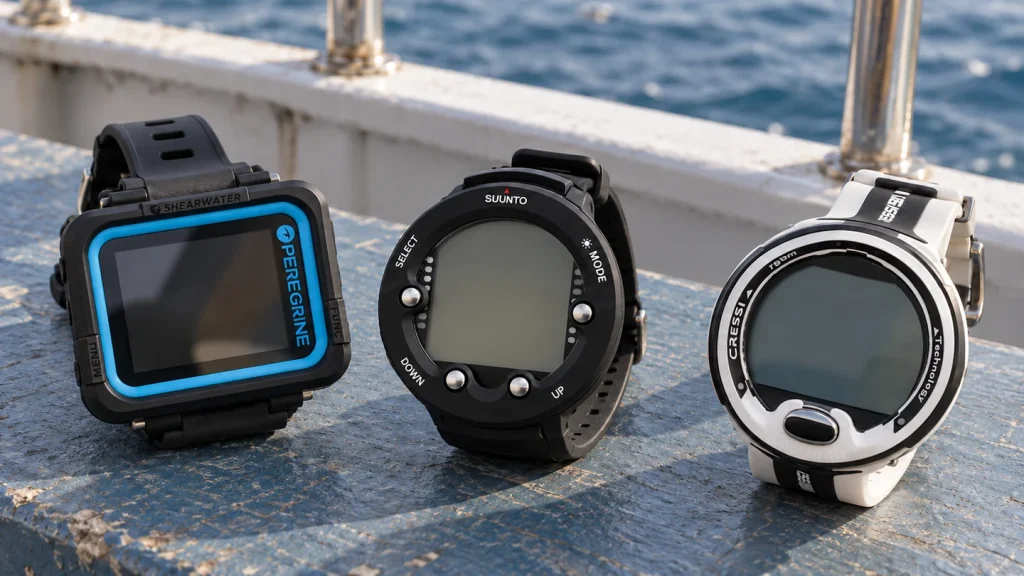
The best dive computers make essential information easy to read and match the diving you actually do. A large color screen, a familiar button layout or wireless tank pressure can each be a good reason to choose one model over another. We compare six options below, including dedicated recreational computers and an everyday watch-style alternative, with the strengths and compromises that matter before you buy.
The short answer
Quick Verdict
Our top pick is the Shearwater Peregrine for recreational divers who want a 2.2-inch color display and focused diving features.
- Want wireless tank pressure or a digital compass? Choose the Peregrine TX.
- Want a computer you can wear every day? Consider the Garmin Descent G1.
- Prefer one button and Bluetooth logging? Compare the Mares Puck 4.
For our selection process, read How We Research.
On this page
Best Dive Computers: Quick Comparison
All six models serve a different kind of buyer. Compare the display and the functions you will use, then check the selected listing for its current price, seller and included accessories.
| Model | Best For | Display & Controls | Main Purchase Check | Price / Where to Buy |
|---|---|---|---|---|
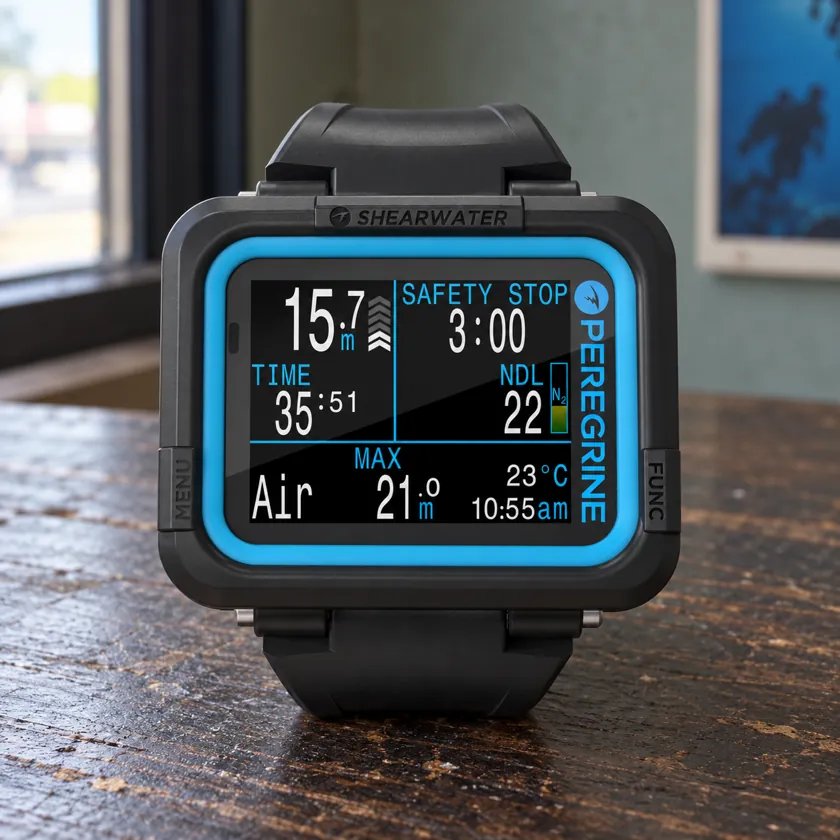 Shearwater Peregrine Shearwater Peregrine | Large display without air integration | 2.2-inch color LCD; two buttons | No wireless tank pressure or digital compass | Check price on Amazon |
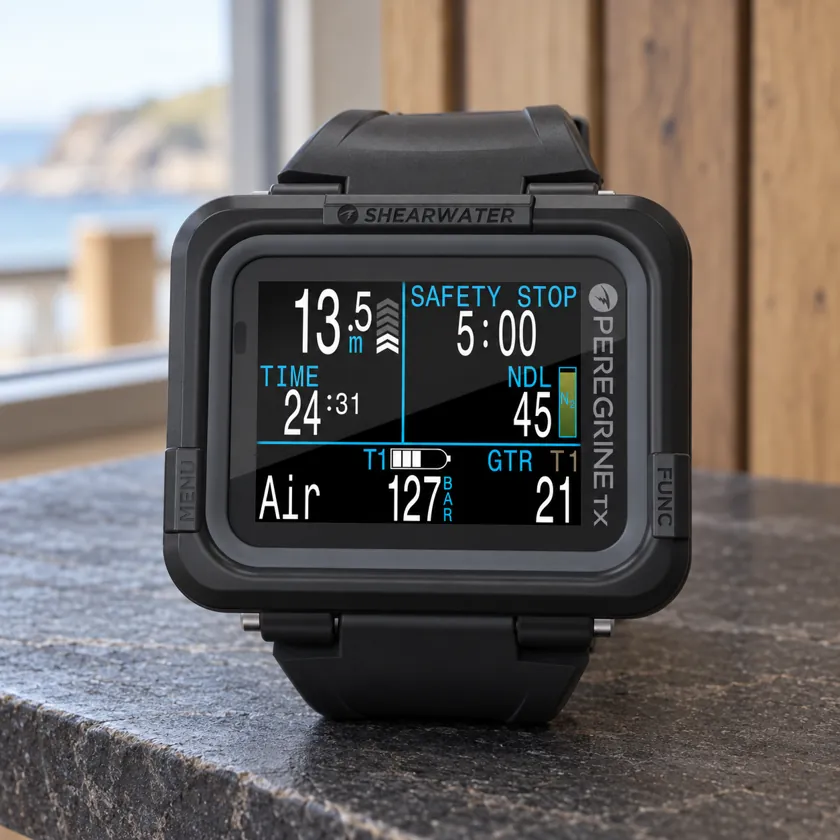 Shearwater Peregrine TX Shearwater Peregrine TX | Tank pressure and compass on one display | 2.2-inch color LCD; two buttons | Compatible transmitter required for pressure data | Check price on Amazon |
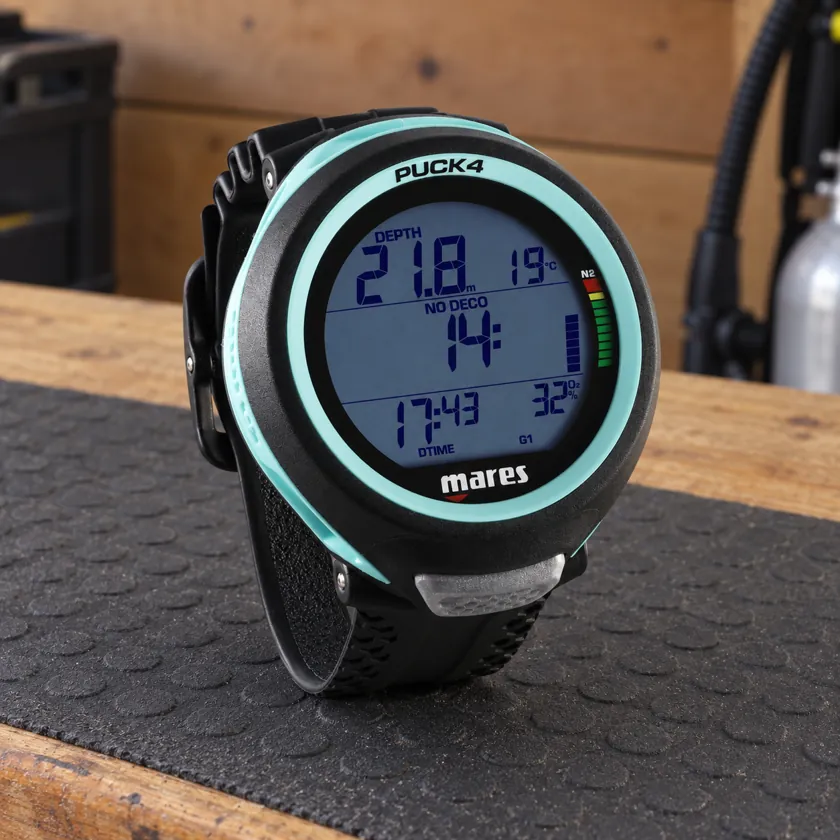 Mares Puck 4 Mares Puck 4 | Single-button control and direct log transfer | Segment display; one button | Choose Puck 4 rather than Puck Pro or Pro+ | Check price on Amazon |
 Suunto Zoop Novo Suunto Zoop Novo | Dedicated round display and separate controls | Monochrome display; four buttons | USB interface and battery service may add cost | Check price on Amazon |
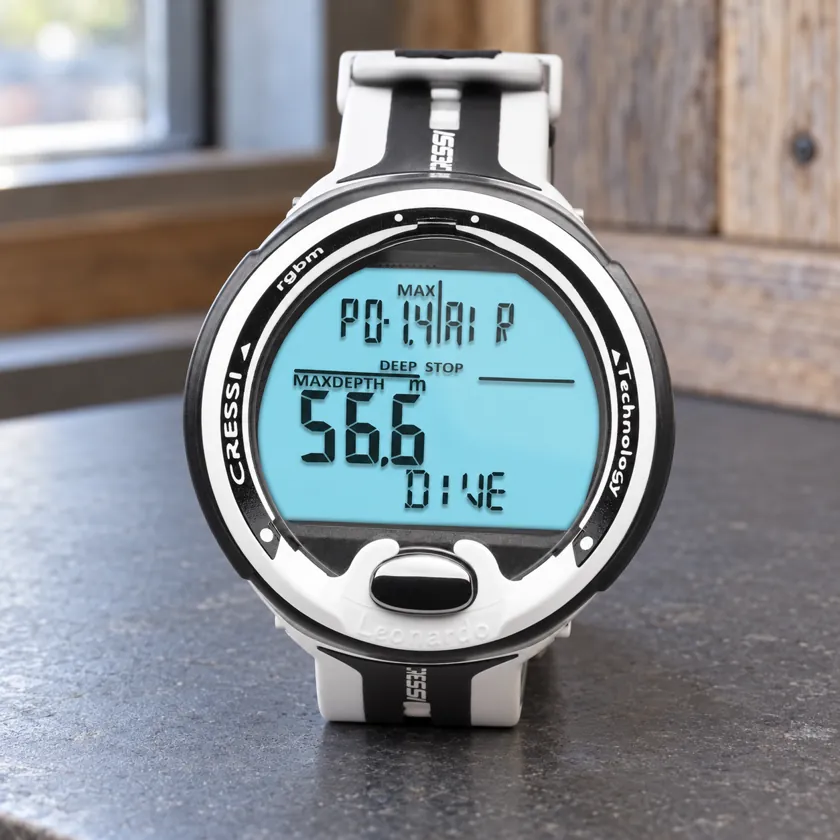 Cressi Leonardo 2.0 Cressi Leonardo 2.0 | Air and single-mix nitrox diving | Large dedicated display; one button | Confirm 2.0 version and optional transfer interface | Check price on Amazon |
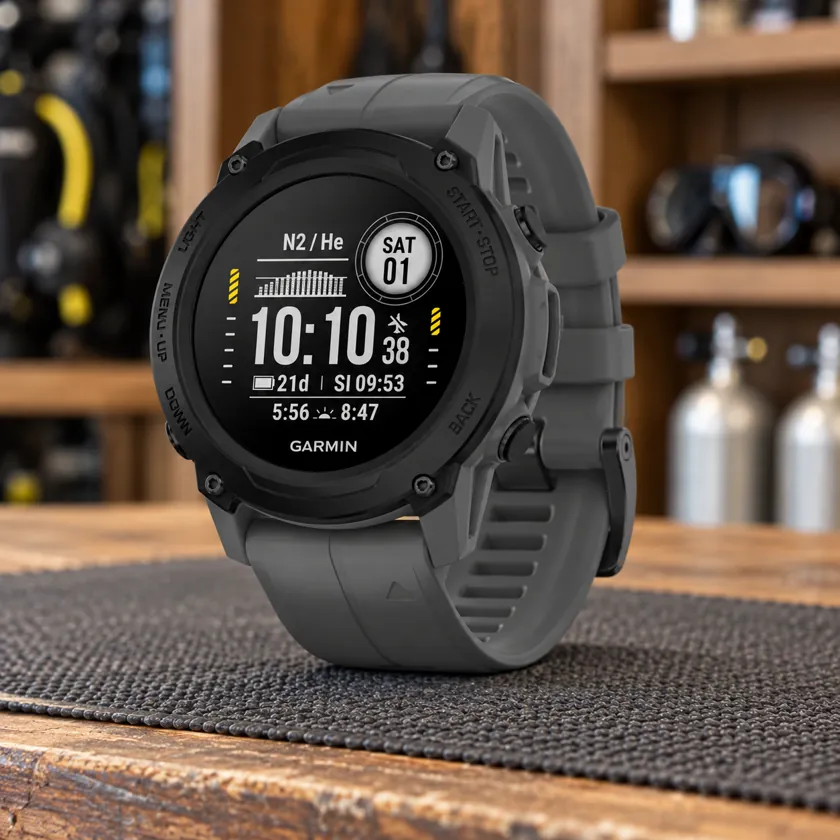 Garmin Descent G1 Garmin Descent G1 | Diving plus daily activity tracking | Compact monochrome watch display | Standard G1; keep Solar battery claims separate | Check price on Amazon |
1. Shearwater Peregrine — Best Overall for Recreational Diving
The Shearwater Peregrine is our first choice for recreational divers who want a dedicated computer with a generous screen and a focused set of diving functions. Its appeal is straightforward: a 2.2-inch color display, two physical buttons and support for air and nitrox diving, without the extra equipment involved in wireless pressure monitoring.
Key Features
- 2.2-inch, 320 × 240 full-color LCD
- Two-button navigation
- Air, Nitrox, 3 Gas Nitrox and Gauge modes
- Bühlmann ZHL-16C algorithm with gradient factors
- Rechargeable battery with wireless charging
- Bluetooth log transfer and vibration alerts
Why It’s Our #1 Pick
We put the Peregrine first because its design concentrates on the job most readers are buying a dive computer to do: show dive information clearly in a dedicated wrist unit. The larger screen gives it a useful design advantage over a compact everyday watch, while two buttons provide an alternative to the repeated presses of a single-button menu. For a recreational diver building a first personal equipment setup, those are more relevant benefits than a long list of surface activities.
It also occupies a sensible middle ground in this shortlist. You get a color display, rechargeable power, vibration alerts and Bluetooth logging, but you do not have to buy and maintain a transmitter to use its core functions. If you already use a separate pressure gauge and compass, the standard Peregrine fits that arrangement naturally.
The limitation matters: it cannot be upgraded to receive wireless tank pressure, and it has no built-in digital compass. Choose the Peregrine TX if either feature is on your shopping list. Our #1 recommendation is about the balance of display, controls and recreational features; the TX or a watch-style model can be the better choice for a different set of needs.
What to Consider
The rectangular body takes up more wrist space than the Garmin G1. Try it over the wetsuit or drysuit sleeve you normally wear, especially if you already carry a compass on the same arm. Screen size is helpful only when the computer stays in a position you can see comfortably.
Rechargeable power also means remembering the charging station. Shearwater lists up to 30 hours at medium brightness, so treat that as a manufacturer estimate rather than a promise for every trip. Keep the charger with the computer and check the battery before departure.
Pros
- Large dedicated color display
- Two-button interface and vibration alerts
- Recreational modes without a transmitter requirement
Cons
- No air integration or digital compass
- Larger body than a watch-style computer
- Internal battery replacement requires service
Who Should Buy It?
Choose the Peregrine if a dedicated color display matters most and you are happy to keep pressure monitoring separate. It is the model we would start with for a recreational shortlist before paying for additional features.
2. Shearwater Peregrine TX — Best for Wireless Air Integration
The Peregrine TX is the step up to consider when you like the Peregrine’s large-screen approach but want tank pressure and a digital compass on the same device. It retains the dedicated wrist format while adding wireless air-integration capability. That makes it a more complete instrument package for divers who specifically want those functions.
Key Features
- 2.2-inch, 320 × 240 full-color LCD
- Wireless air integration with compatible transmitters
- Support for up to four optional transmitters
- Three-axis, tilt-compensated digital compass
- Air, Nitrox, 3 Gas Nitrox and Gauge modes
- Rechargeable battery, wireless charging and Bluetooth
Why Choose the TX?
The main reason is convenience in the information layout. A compatible transmitter can put cylinder pressure beside the rest of your dive data, and the compass adds navigation information without a separate wrist instrument. If both features were already in your plan, buying the TX makes more sense than choosing the standard Peregrine and discovering its hardware cannot add them later.
That does not mean every recreational diver needs the upgrade. A separate SPG remains a workable way to monitor pressure, and some divers prefer a standalone compass. The TX earns its place when you value the integrated arrangement, rather than simply because it sits higher in the range.
What to Consider
Check the selected package carefully. A computer-only listing and a transmitter bundle are different purchases, even when the gallery shows the same accessories. Include the transmitter, its battery and any installation work when comparing the complete cost.
Air integration also adds pairing and maintenance to your routine. You need to understand how the system presents pressure information and what your configuration requires if that information disappears. Our analog SPG versus air-integrated computer guide explains that ownership decision in more detail.
Pros
- Adds pressure monitoring to a large color display
- Built-in tilt-compensated compass
- Can support more than one transmitter
Cons
- Pressure monitoring needs additional hardware
- More equipment to pair and maintain
- Extra capability may be unnecessary for a basic setup
Who Should Buy It?
Choose the TX if you already want wireless tank pressure or an integrated compass. Keep the ordinary Peregrine on your shortlist if those additions would go unused.
3. Mares Puck 4 — Best Single-Button Option with Bluetooth
The Mares Puck 4 suits divers who prefer a traditional segment display and a single control, but still want direct Bluetooth transfer. It combines that simple physical layout with a Bühlmann algorithm, multi-gas support and a replaceable battery. It is a useful alternative to the color-screen models when you want a dedicated computer without a charging routine.
Key Features
- Single-button interface with an 800-segment display
- Bühlmann ZH-L16C with adjustable gradient factors
- Air, Nitrox and bottom-timer modes
- Multi-gas support for up to three gases
- Integrated Bluetooth for the Mares or SSI app
- User-replaceable CR2450 battery
Why It Makes the Shortlist
Bluetooth is the practical extra here. You can transfer supported dive records to a smart device without buying a separate clip-on data interface. For someone who wants to keep an electronic log after a trip, that can remove a small but recurring nuisance from equipment ownership.
The replaceable CR2450 battery offers a different kind of convenience from the Shearwaters’ charging pads. You still need the correct battery and sealing procedure, but you do not need to find a power socket between normal outings. Whether that is preferable depends on how you travel and whether you are comfortable arranging battery care.
The three-gas feature gives the Puck 4 a broader mode capability than a single-mix recreational model. Use it only within the training and procedures appropriate to your diving; it is an available function rather than a reason to change your dive plan.
What to Consider
A single button can be appealing on the wrist, yet longer presses and menu sequences will not suit everyone. Try reviewing a log and navigating a setting before deciding that one button is automatically easier than two or four.
Buy the exact Puck 4. Puck Pro, Puck Pro+ and other similarly named Mares models are separate products, so their app connections and specifications should not be used to judge this one. The linked listing is for the wrist unit rather than a console with an analog gauge.
Pros
- Bluetooth built into the computer
- Replaceable battery
- Single-button design with multi-gas capability
Cons
- Menu navigation depends on press sequences
- No wireless air integration
- Similar Puck names can make listings confusing
Who Should Buy It?
Choose the Puck 4 if direct app transfer and a replaceable battery matter more to you than a color display. Compare its menu with the Leonardo 2.0 before committing to a single-button design.
4. Suunto Zoop Novo — Best Four-Button Recreational Option
The Suunto Zoop Novo is worth considering if you want a dedicated round dive computer with separate buttons for navigation. Its four-button arrangement offers a different approach from the Cressi and Mares, while its air and nitrox modes cover the core needs of many recreational divers. This is the Novo model, rather than the earlier Zoop.
Key Features
- Dedicated monochrome display with backlight
- Four-button navigation
- Air, Nitrox, Gauge, Free and Off modes
- Suunto RGBM decompression algorithm
- Dive planner, history and logbook functions
- Optional USB interface for supported log transfer
Why Choose Four Buttons?
Separate controls can make the direction of menu navigation easier to follow for someone who dislikes cycling through everything with one button. That is the Zoop Novo’s strongest reason to be on this list. The best layout is the one you can learn and repeat comfortably, so it is worth trying alongside a single-button model rather than shopping from photographs alone.
The display is dedicated to diving rather than everyday smartwatch use. If you want clear divisions between time, dive, planning and memory functions, the Zoop Novo’s organization may appeal. A backlight is available when ambient light is insufficient; it is still a different display experience from the continuously illuminated color LCD on a Peregrine.
Free mode is a separate function for freediving, while Gauge mode supplies depth and timing without the normal decompression calculations. Having several modes is useful only when you know which one matches the activity.
What to Consider
Data transfer uses the appropriate optional USB interface. Check whether a listing includes it, particularly if you compare a lower-priced computer-only offer with a bundle. The Amazon listing linked in the table is labeled without USB.
Suunto recommends an authorized service center for battery replacement. Include that service arrangement in the ownership decision, especially if your nearest center is difficult to reach. You should also choose another model if wireless cylinder pressure or a built-in digital compass is a requirement.
Pros
- Four distinct physical controls
- Dedicated recreational dive functions
- Separate freediving mode
Cons
- USB transfer can require an extra accessory
- No wireless air integration or digital compass
- Battery service needs planning
Who Should Buy It?
Choose the Zoop Novo if a round display and four-button navigation feel more natural to you. The Puck 4 is the more direct comparison if built-in Bluetooth is a priority.
5. Cressi Leonardo 2.0 — Best for a Focused Single-Mix Setup
The Cressi Leonardo 2.0 is the focused choice for divers who want air or single-mix nitrox functions in a dedicated, single-button computer. It keeps the shopping decision centered on the diving you do now. You are not paying for an everyday activity watch or choosing a transmitter system as part of the purchase.
Key Features
- Large dedicated display and single-button control
- Air, Nitrox and Gauge modes
- One nitrox mix during a dive
- Cressi RGBM decompression algorithm
- Audible warnings for key dive conditions
- User-changeable battery and optional data-transfer connection
Where the Leonardo 2.0 Fits
Its main attraction is a contained feature set. For a diver who uses one breathing mix and wants a personal computer instead of learning a different rental unit on every trip, that can be enough. You can concentrate on learning the display and control sequence without choosing between dozens of surface activity profiles.
The trade-off is that a single control has to do several jobs. Short and long presses handle different tasks, and changing settings can involve moving through a sequence. Try the interface before buying if you tend to lose your place in menus. A simple-looking case is useful only if its operation also makes sense to you.
The 2.0 designation matters. Retailers sometimes reuse Leonardo photographs or mix old and new descriptions. Match the selected version to Cressi’s instructions, and check the data-transfer accessory if you want to move logs to an app or computer. Optional connectivity should not be mistaken for an interface included in every box.
What to Consider
The Leonardo 2.0 does not offer the Puck 4’s three-gas capability or the Peregrine TX’s wireless pressure monitoring. That is a meaningful limit for someone with a specific course or equipment upgrade in mind. It is less important for a recreational diver whose needs remain within its air and single-mix nitrox modes.
Battery replacement should follow the instructions for this generation, including seal care. If you prefer to leave that work to a technician, check local support before ordering rather than treating a replaceable battery as a maintenance-free feature.
Pros
- Focused recreational feature set
- One physical control and a dedicated display
- User-changeable battery
Cons
- Single-mix limit for nitrox diving
- Data transfer may need an optional interface
- No air integration or digital compass
Who Should Buy It?
Choose the Leonardo 2.0 if you want a personal air/nitrox computer and like its menu. Choose the Puck 4 if integrated Bluetooth or three-gas support has a clear use in your plans.
6. Garmin Descent G1 — Best for Everyday Watch Wear
The Garmin Descent G1 is the strongest fit here for someone who wants to wear the same device between dive trips. It combines dive-computer functions with activity tracking and watch features in a smaller format than the dedicated rectangular Shearwaters. That everyday usefulness is its reason to choose it, rather than a claim that a small screen is best for every diver.
Key Features
- Watch-style case with a monochrome display
- Rechargeable lithium-ion battery
- Single-gas, multi-gas, Gauge and apnea functions
- Bühlmann ZHL-16C decompression model
- Built-in three-axis compass
- Surface GPS and Garmin Dive app support
Why It Appeals Beyond Diving
A dedicated dive computer may spend most of the year in an equipment bag. The G1 can earn its place on your wrist through normal activity tracking as well as diving. If you would otherwise buy a separate sports watch, the combined format is a practical reason to consider it.
That creates a different buying question from the Peregrine. With the Garmin, you are balancing day-to-day wear against the amount of space available for dive information. Look at the actual dive screens, including secondary fields and alert messages, rather than judging readability from the main watch face.
The compass and surface GPS are useful additions for people who value navigation and a record of entry or exit locations. Satellite positioning works at the surface; it should not be read as an underwater GPS navigation feature.
What to Consider
The standard Descent G1 in this comparison is separate from G1 Solar and Ocean Edition variants. Their charging assumptions and battery claims differ. Also check whether the selected listing is new or renewed and which accessories it supplies.
The G1 does not support wireless cylinder-pressure integration. Choose the Peregrine TX if that is central to your purchase. If easy reading is the main reason for replacing your current computer, put the Garmin and a larger dedicated screen side by side before deciding that everyday wear is worth the smaller format.
Pros
- Useful as an everyday activity watch
- Compact format with compass and surface GPS
- Multiple dive modes and app support
Cons
- Smaller display than dedicated large-screen models
- No wireless air integration
- More surface features and menus to learn
Who Should Buy It?
Choose the G1 if you want a dive computer you will also wear between trips. Choose a dedicated model if the clearest possible dive display matters more than daily watch features.
How to Choose a Dive Computer
Start with the problem you want your own computer to solve. Perhaps rental displays are hard to read, you dislike changing interfaces between trips, or you want tank pressure on your wrist. A clear requirement makes the shortlist much easier to narrow than comparing every specification at once.
For a first personal computer, we would prioritize a readable display, controls you understand and support you can access. After those basics, decide whether you want wireless pressure monitoring, rechargeable power or everyday watch features. Those choices divide this list more usefully than a general label such as beginner or advanced.
Display Size and Readability
The Peregrine and Peregrine TX offer the largest color-screen format in this comparison. That makes them the first models to try if small dive numerals are your main frustration. The Garmin G1 makes the opposite trade: it is easier to wear as a normal watch, but has less room to present information.
A monochrome or segment display can still be a good choice. What matters is whether you can distinguish the main depth, time and decompression fields, read secondary information and recognize an alert. Look at a dive screen rather than just the attractive surface display used in a product photograph.
If possible, try the computer with your normal vision correction and exposure suit. Move your arm into a comfortable reading position and check that the unit stays there. A larger screen will not help much if a loose strap lets it rotate under your wrist or a thick cuff covers part of the display.
Buttons and Menu Navigation
The Leonardo 2.0 and Puck 4 use one button; the Peregrines use two; the Zoop Novo uses four. More buttons are not automatically harder, and one button is not automatically simpler. The question is how easily you can move between screens and recognize what you have selected.
During a shop demonstration, ask to review a log, find the units setting and return to the main screen. These ordinary surface tasks reveal more about an interface than counting controls. If you wear gloves, check button spacing and whether the intended presses remain comfortable. Give yourself time to learn the computer before the first dive.
Dive Modes and Your Actual Plans
Air and nitrox modes cover the needs of many recreational divers. If you use one breathing mix throughout a dive, a computer with three-gas switching is not essential simply because it appears higher on a feature chart. If you have a specific course planned, ask the instructor what functions the course requires before buying.
Gauge and bottom-timer modes have a different role: they provide depth and time information without the normal decompression calculations. Freediving and apnea modes are also separate from scuba modes. Make sure the selected mode matches the activity, and follow the training and manual for that use.
Our guide to reading a dive computer explains the main information fields. If you dive nitrox, read our nitrox settings guide alongside the instructions for your own unit. The gas you analyze and the settings you enter need to match.
Air Integration and the Full Purchase Cost
Only the Peregrine TX offers wireless cylinder-pressure integration among these six picks. The standard Peregrine cannot gain that capability through a later transmitter purchase. Likewise, a console that combines a computer with an analog pressure gauge does not make the computer itself air integrated.
Before paying for the TX, decide whether seeing pressure on the computer is worth adding another device to your setup. Include the compatible transmitter, installation, batteries and any required accessories in the total cost. An inexpensive computer-only offer may be less attractive once the complete system is priced.
You should also know how your equipment configuration handles a loss of pressure data. Wireless convenience does not remove the need for a clear pressure-monitoring and gas-management plan. If you prefer to keep those functions separate, our scuba pressure gauge comparison covers the analog side of the decision.
Rechargeable or Replaceable Battery?
Rechargeable models fit naturally into a routine where you charge equipment before a trip. The Peregrines use a charging station, and the G1 uses its supported charging connection. Pack the correct equipment with the computer, rather than assuming any cable in your bag will work.
Replaceable cells can be convenient for divers who travel away from power sockets, provided the correct parts and service arrangements are available. The Puck 4 and Leonardo 2.0 offer user-changeable batteries. The Zoop Novo also uses a replaceable cell, but Suunto recommends having an authorized service center carry out that work.
Compare dive-mode endurance rather than the largest battery number on the box. Smartwatch use, GPS activities and diving are different workloads, while screen brightness affects a color computer’s runtime. Our battery-care guide covers charging, storage and the checks to make before travel.
Logs, Apps and Firmware
If you enjoy keeping an electronic log, check how it actually gets off the computer. The Puck 4 and Peregrines include Bluetooth. The Leonardo 2.0 may need the appropriate optional transfer interface, and the Zoop Novo uses a compatible USB connection. Buying an accessory later can change an apparently straightforward price comparison.
Check that the app supports your phone or computer and the exact model you are buying. Once you own the device, follow its official update process and leave time to check the result before travelling. A firmware update should be part of equipment preparation, rather than a hurried job on the boat.
Algorithms and Conservatism Settings
You will see Bühlmann and RGBM in this comparison. They identify decompression models, but the name alone does not tell you which computer you will find easier to use or which one is appropriate for a particular course. Settings and implementations also affect the guidance a computer presents.
Avoid choosing a model because it appears to allow a longer dive in a casual screen comparison. No dive computer eliminates decompression risk. Use the settings and procedures appropriate to your training and the model’s instructions; a buying guide is not a place to copy someone else’s gradient factors.
Straps, Service and Seller Checks
Check fit over the suit you dive in, including whether the supplied strap is long enough. If you prefer bungee mounting, confirm the computer supports the intended arrangement and whether the necessary parts are included. A product gallery may show optional accessories beside the standard package.
Also check the exact generation, new or used condition, warranty region and seller. The original Leonardo, Leonardo 2.0, several Puck generations and multiple Descent G1 variants can appear in closely related search results. The full model name on the selected offer matters more than a familiar photograph.
For a used computer, add battery condition, service history, charging accessories and manufacturer support to your checks. A unit that turns on still needs an appropriate condition assessment before diving. A low price is less useful when an essential charger or local service option is difficult to obtain.
Which Two Should You Compare First?
- Peregrine vs Peregrine TX: choose between separate pressure monitoring and built-in air-integration capability.
- Puck 4 vs Leonardo 2.0: compare single-button menus, Bluetooth arrangements and three-gas versus single-mix capability.
- Zoop Novo vs Puck 4: decide whether four-button navigation matters more than direct Bluetooth transfer.
- Descent G1 vs Peregrine: compare everyday watch usefulness with a larger dedicated dive display.
If two models both meet your requirements, the one you can read and operate more comfortably is usually the more sensible purchase. You do not need to buy every capability available in the range. Spend on the features you have a reason to use, and allow time to learn them.
Frequently Asked Questions
Choosing between these models? Start with these common questions.
What Is the Best Dive Computer for a Beginner?
The Shearwater Peregrine is our first recommendation for a beginner who wants a large color display and is comfortable with its price and size. The Leonardo 2.0, Puck 4 and Zoop Novo are also worth trying. Compare their menus with an instructor or supplier, because your ability to understand the screen matters more than a beginner label.
Is the Peregrine TX Worth Choosing Over the Peregrine?
Yes, if you specifically want wireless tank pressure or the digital compass. Include a compatible transmitter in the budget if you want pressure data. If you already prefer a separate SPG and compass, the ordinary Peregrine supplies the large color-screen experience without those additions.
Do All Dive Computers Show Tank Pressure?
No. A dive computer can calculate and display depth, dive time and decompression information without receiving cylinder pressure. In this shortlist, the Peregrine TX supports wireless pressure data when paired with compatible hardware. The other five models need a separate pressure-monitoring arrangement.
Is a Single-Button Dive Computer Easier to Use?
It can be, but that depends on the menu and your preferences. One button often handles several actions through different press lengths or sequences. Try moving through a log and a simple surface setting before buying. Some divers will find two or four separate buttons more direct.
Can I Use a Dive Computer for Both Air and Nitrox?
All six picks have air and nitrox functions, within their individual limits. The supported number of gas mixes differs, so match the model to the diving you are trained to do. Before a nitrox dive, the computer’s settings need to match the gas you have analyzed and the procedures you have learned.
Can a Garmin Descent G1 Replace a Dedicated Dive Computer?
It can serve as your dive computer when its supported functions fit your diving. The main trade-off in this comparison is format: the G1 offers everyday watch and activity features in a compact case, while the Peregrines prioritize a larger dedicated display. The G1 does not provide wireless tank-pressure integration.
Should I Buy a Computer Now for Future Technical Diving?
Buy for a real training plan rather than a vague possibility. If a course is already booked, ask the instructor which functions and configurations it requires. Multiple gas modes alone do not establish suitability for every technical activity, and a computer purchase does not replace the associated training.
Our recommendation
Final Verdict
For recreational divers who want a dedicated color display, start with the Shearwater Peregrine. It earns our top position through its combination of screen size, two-button control and focused diving features. Choose the Peregrine TX when tank-pressure integration or a compass is part of the requirement.
The Mares Puck 4 is the single-button option we would compare for Bluetooth logging and replaceable power. The Leonardo 2.0 suits a focused single-mix setup, the Zoop Novo offers four-button navigation, and the Garmin Descent G1 makes the most sense when you want a computer that doubles as an everyday watch.
Specifications and Manuals
For model details, see Shearwater’s computer comparison, the Mares Puck 4 specifications, Cressi’s Leonardo 2.0 information, the Suunto Zoop Novo manual and the Garmin Descent G1 manual.
About the author
Robert
Robert bohat acha bacha hay